

Facilities: Cut Spinal Load 10% by Adjusting Office Chair Armrests
Armrests help ergonomics when they are adjustable and set correctly, and they harm it when fixed, mismatched to your body, or blocking the desk. Adjusted well, they cut shoulder and neck strain measurably. Set wrong, they raise your shoulders, force your elbows outward, or push you too far from your keyboard. The fix is usually a five-minute adjustment, not a new chair.
TL;DR:
- Properly adjustable armrests can reduce shoulder muscle activity by supporting the forearms, which lowers neck and shoulder strain during prolonged typing or mouse use.
- Setting armrests too high, wide, or fixed can cause shoulder shrugging, outward elbow rotation, or force you away from your desk, increasing discomfort and strain.
- Correct armrest height aligns with your forearms when your shoulders are relaxed, and width should keep elbows close to your torso to avoid shoulder loading.
- Simple adjustments, such as raising or lowering the armrests, can significantly improve comfort, but if armrests block desk access or cause shoulder shrugging, replacing or removing them may be necessary.
- Prioritize fully adjustable armrests over fixed or padded models, and regularly recheck the setup throughout the day to accommodate changing posture needs.
Table of Contents
- Office chair armrests ergonomics: the benefits and the risks
- How to set armrest height, width, depth and angle correctly
- When to remove, modify, or swap your armrests
- Matching armrest types to the right setup
- The armrest debate is smaller than it looks
- Fixing your armrest setup without buying a whole new chair
- Sources
- FAQ
Office chair armrests ergonomics: the benefits and the risks
Forearm support does real, measurable work on your muscles. A controlled electromyography study found that unsupported forearms drove up activity in the upper trapezius and anterior deltoid, the muscles that bunch up around your neck and shoulders after a long day at a keyboard. Forearm support consistently brought that activation back down. This matters most during typing and mouse work, where the strain is low-level but constant, building up over hours rather than hitting you all at once.
The scale of the benefit is bigger than most people assume. Research from Steelcase found armrests can reduce spinal loading by roughly 10% of body weight, and can cut hip force by around half when moving from seated to standing. For someone spending seven or eight hours in a chair, that is not a marginal comfort tweak. It is a genuine reduction in the physical cost of sitting.
The risks come almost entirely from armrests that do not fit the person using them.
- Armrests set too high force your shoulders upward into a permanent shrug, which is the exact posture the trapezius muscle strain study flagged as harmful.
- Armrests set too wide push your elbows outward, rotating your shoulders and loading the joint at an angle it was not built to hold for hours.
- Fixed, non-adjustable armrests often sit at the wrong height for anyone outside an average body range, and they can wedge you too far from your desk to type comfortably.
- Bulky or wide armrests frequently collide with desk edges, forcing you to sit further back and hunch forward to reach your keyboard.
Task matters here too. Typing and mouse work benefit most from continuous forearm support, since the exertion is sustained and low-force. Close device work, like reading on a tablet propped on the desk, often needs a completely different arm position, which is exactly where fixed armrests start causing trouble.
How to set armrest height, width, depth and angle correctly
Getting this right takes a few minutes and no tools. Ergonomics practitioners generally recommend a stepwise test at your own desk rather than guessing from a manual, and the University of Pittsburgh’s ergonomics guidance sets out the core checks worth running through.
- Set your seat and desk height first. Feet flat on the floor, forearms roughly level with your desk surface when your upper arms hang naturally.
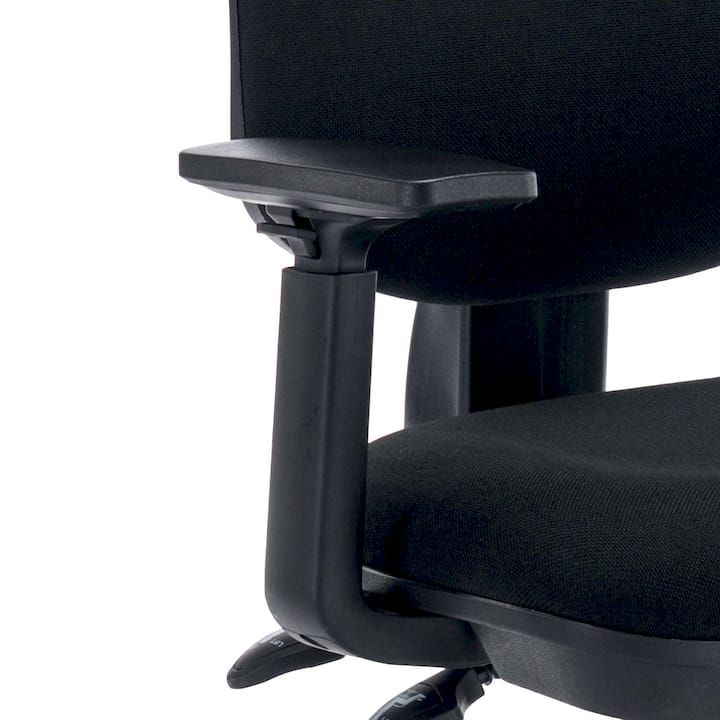
- Raise or lower the armrests until your forearms rest on them without your shoulders lifting. If you notice any shrug, the armrests are too high.
- Adjust the width so your elbows sit close to your torso, not flared outward. The University of Pittsburgh’s guidance specifically flags elbow rotation as a driver of shoulder strain.
- Set the angle and depth so the armrest clears your desk edge and doesn’t block keyboard or mouse reach. Depth and slide adjustments, a feature Steelcase’s research highlights as increasingly common, let you sit closer to your work without hunching.
Once set, run two quick checks. First, the shoulder relaxation test: sit normally and notice whether your shoulders sit level and loose, or creep upward. Second, the keyboard reach test: type for a minute and check whether the armrest lets your hands move freely or clips against the desk. Practical guidance from LiberNovo’s ergonomics explainer recommends repeating both checks after any adjustment, since a fix for one axis can throw off another.
If your armrests are fixed and clearly wrong for your body, you have two options short of buying new arms: fold them out of the way if the chair allows it, or add a clamp-on forearm pad to correct the height temporarily.
Pro Tip: Do the shoulder relaxation test at three points in the day, morning, midafternoon and late afternoon. Fatigue changes your posture, and an armrest setting that felt right at 9am can feel wrong by 3pm.
When to remove, modify, or swap your armrests
Some signs mean it’s time to stop tweaking and change the setup entirely. If your armrests permanently block desk access, if you catch your shoulders shrugging no matter how you adjust the height, or if comfort actually gets worse after a proper adjustment attempt, the armrests themselves may be the wrong fit for your work.
Modification options worth trying, roughly in order of effort:
- Fold the arms down or back, if your chair supports it, for tasks where any armrest gets in the way.
- Swap fixed arms for adjustable ones, or the reverse, depending on whether your workspace needs flexibility or simplicity.
- Add a clamp-on forearm support as a stopgap when the chair’s own armrests are the wrong height and can’t be changed.
- Reconsider your desk setup, since an ergonomic keyboard tray or a sit-stand adjustment can reduce reliance on armrests altogether by changing your working height.
If you’re unsure whether removal actually helps, trial it for a few days rather than deciding on day one. Track whether shoulder tension improves, stays the same, or gets worse, since ergonomics guidance treats temporary removal as a legitimate diagnostic step, not a last resort.
Matching armrest types to the right setup
Once you know what your body and desk actually need, choosing the right armrest becomes a fitting exercise rather than a guessing game.
- Versi Fixed Arms make sense in shared workspaces or simpler setups where one arm position works for most users, or budget constraints rule out full adjustability.
- Universal Plastic Tablet accessories give you a stable rest for tablet-based tasks, useful when your work shifts between keyboard typing and handheld device use through the day.
Alxr’s chairs, including the ergonomic posture chair with height and depth adjustable arms, are built with these adjustment ranges specified on the product page, so you can measure your own shoulder and elbow position first and check it against the chair’s range before ordering. Alxr is an NHS-approved supplier with nationwide delivery and installation, which matters if you’re specifying seating for a team rather than a single desk.
The armrest debate is smaller than it looks
Most of the “armrests or no armrests” argument online is really an argument about badly fitted armrests, not armrests as a concept. The evidence is fairly consistent: forearm support genuinely reduces shoulder muscle load and spinal loading when it’s positioned correctly, and it genuinely causes the exact problems people blame on armrests when it isn’t.
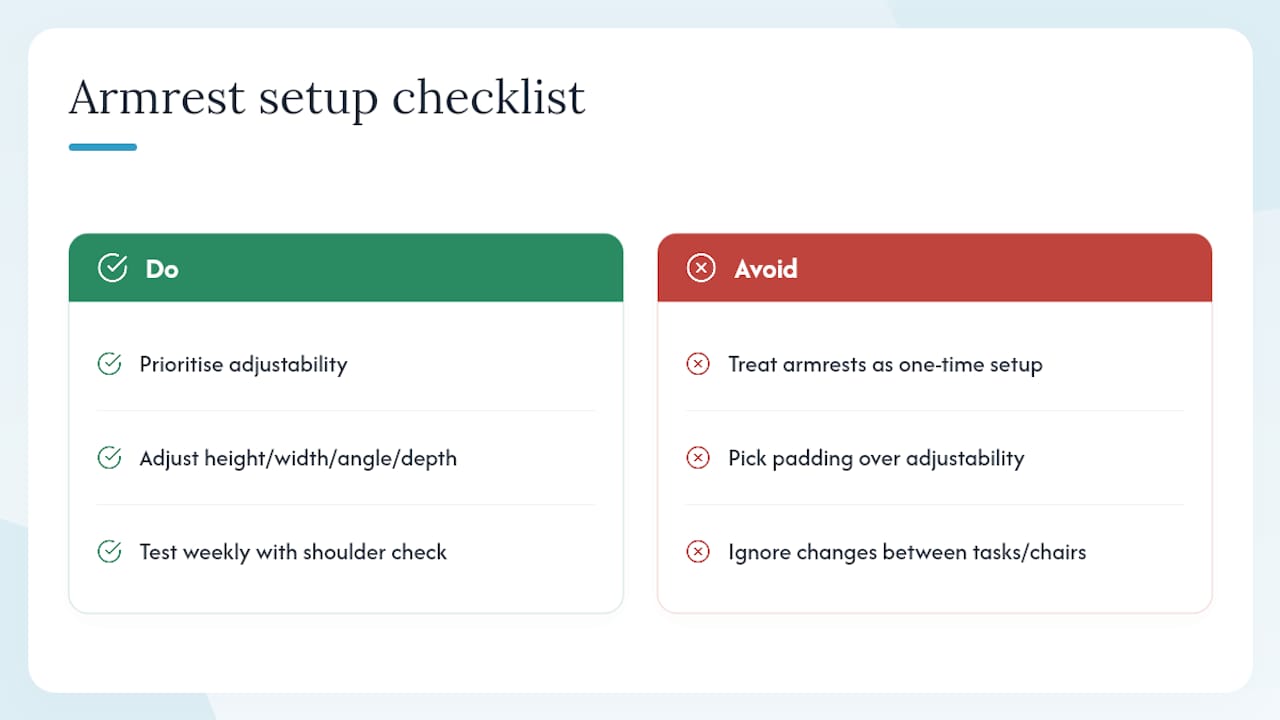
What conventional advice gets wrong is treating this as a one-time setup decision. Your body’s needs shift through the day, between tasks, and honestly between chairs if you work from more than one location. Fixed armrests fail not because the concept is flawed, but because they can’t follow that variation.
If you take one thing from this, prioritise adjustability over any other single feature. Height, width, angle and depth control matter more than padding, material, or brand. Test your setup with the shoulder relaxation check weekly, not once and forgotten.
— Syed
Fixing your armrest setup without buying a whole new chair
If the checks above told you your armrests are the problem, not your posture, you don’t need to overhaul your entire workstation to fix it. Alxr’s approach is straightforward: measure what your body actually needs, then match it to armrest hardware built for that exact adjustment range, rather than hoping a generic chair happens to fit.
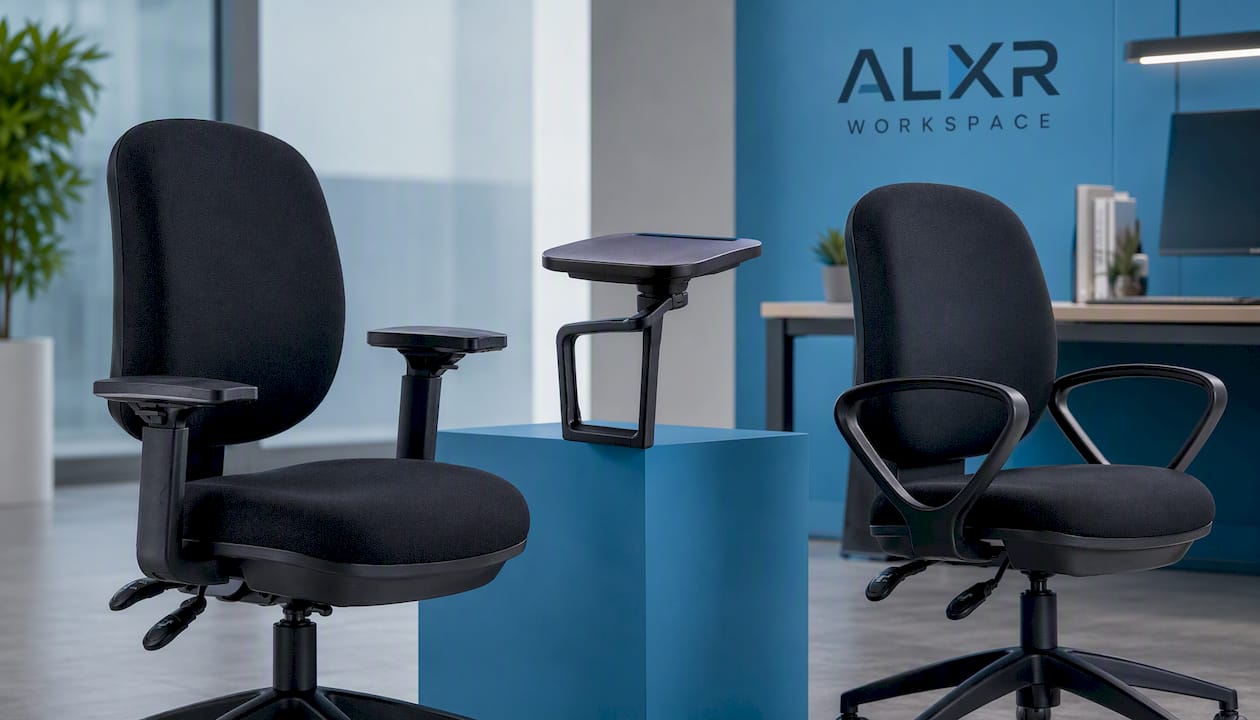
For anyone whose current arms are fixed too high, too wide, or simply immovable, the Versi Adjustable Arms give you height, width and angle control in one accessory, so you can run the shoulder relaxation and keyboard reach tests from this guide and actually act on the results. Shared workspaces or simpler setups are better served by Versi Fixed Arms, which keep costs down where full adjustability isn’t the priority. Delivery and installation services are offered nationwide, and some suppliers provide NHS-approved products built to hold up under genuine scrutiny. Check the adjustment range against your own measurements on the product page, then order the arm that actually matches your desk.
Sources
- How to choose an ergonomic chair | University of Pittsburgh Safety and Health
- Study on forearm support and shoulder muscle activity (PubMed)
- Ergonomics review article (PMC)
FAQ
Are chair armrests ergonomic?
Yes, when they’re adjustable and set correctly, armrests reduce shoulder and trapezius muscle activity and can lower spinal loading by roughly 10% of body weight. Fixed or badly positioned armrests can do the opposite, raising the shoulders or forcing outward elbow rotation.
What is the best position for armrests on an office chair?
Armrests should sit level with your forearms when your upper arms hang relaxed at your sides, with your elbows close to your torso rather than flared outward, according to ergonomics guidance from the University of Pittsburgh. The angle and depth should let your hands reach the keyboard without the armrest catching on the desk edge.
My office chair armrests are too wide. What should I do?
Try narrowing the width setting first if the armrests are adjustable; if they’re fixed and too wide, folding them down, removing them temporarily, or swapping to a narrower model like Versi Adjustable Arms resolves the outward elbow rotation that causes shoulder strain.
What is the ADHD chair?
This term isn’t a recognised ergonomics standard or product category, and no reliable evidence in ergonomics research defines a specific “ADHD chair.” If you’re looking for seating that supports focus and movement, prioritise adjustability and freedom of movement over any product marketed under that label.