

Calculator First: Find Your Exact Ergonomic Desk Height and Buy Right
Most seated desks work best within a range near the mid-70s centimeters, with roughly 75 cm as a common comfortable target for average height. Standing desk height generally falls above 100 cm, varying with individual stature. The fastest way to get your exact figure is to measure your seated elbow height, or use your height multiplied by 0.46 (seated) and 0.62 (standing). The calculator and worked examples below turn that formula into precise numbers for your body.
TL;DR:
- Measuring your seated elbow height provides a more accurate desk height than relying solely on formulas based on standing height ratios.
- Most fixed desks built to 71–76 cm suit people between 5’8" and 6’0" but can be unsuitable outside this height range.
- Using adjustable desks with presets or modifications like keyboard trays and footrests allows better customization for varying body proportions.
- Prioritize measuring and adjusting your chair first, then tailor the desk and monitor setup to minimize strain during work.
- Choosing a desk with a wide adjustment range and stable construction ensures it can reliably meet personalized ergonomic targets.
Table of Contents
- How does the ergonomic desk height calculator work?
- What are the recommended desk height ranges?
- How do you measure yourself for the correct desk height?
- What can you do if your desk is the wrong height?
- How do you set up a sit–stand desk correctly?
- What desk specifications should you check before buying?
- What actually matters when getting desk height right
- Get the height range right, then get the desk that holds it
- Sources
How does the ergonomic desk height calculator work?
Desk height calculators use one of two inputs: your standing height or a direct elbow measurement. The formula method multiplies your stature by a fixed ratio, roughly 0.46 for a seated desk and 0.62 for a standing one, a shortcut backed by anthropometric-ratio calculators that also estimate chair-seat height at around 25% of your stature.
Take someone who’s 175 cm tall. Multiply by 0.46 and you get a seated desk target of roughly 80.5 cm. Multiply by 0.62 and standing comes out around 108.5 cm. In inches, that’s about 31.7 for seated and 42.7 for standing. A shorter person at 160 cm lands closer to 73.6 cm seated and 99.2 cm standing, which shows how much a “one-size” desk actually misses.
Good planning tools don’t stop at one number. They return a full set of companion figures so your whole setup lines up:
- Seated and standing desk height
- Chair seat height
- Keyboard surface height
- Monitor top height, aligned with eye level
Build in some flexibility around the raw output. Shoes add height when standing, a seat cushion raises you when sitting, and heavy typists often prefer the surface a touch lower than the formula suggests. Where possible, skip the maths entirely and measure seated elbow height directly. Sit in your normal posture, let your arm hang relaxed, and measure from the floor to the underside of your elbow. That figure is more personal than any ratio, because it accounts for your actual proportions rather than an average.
What are the recommended desk height ranges?
Manufacturers build most fixed desks to a standard range of roughly 71 to 76 cm (28 to 30 inches), a compromise designed to suit the middle of the height distribution rather than any one person, according to desk height standards research. If you’re inside the 5’8" to 6’0" bracket, that range often works reasonably well. Outside it, the mismatch grows fast.
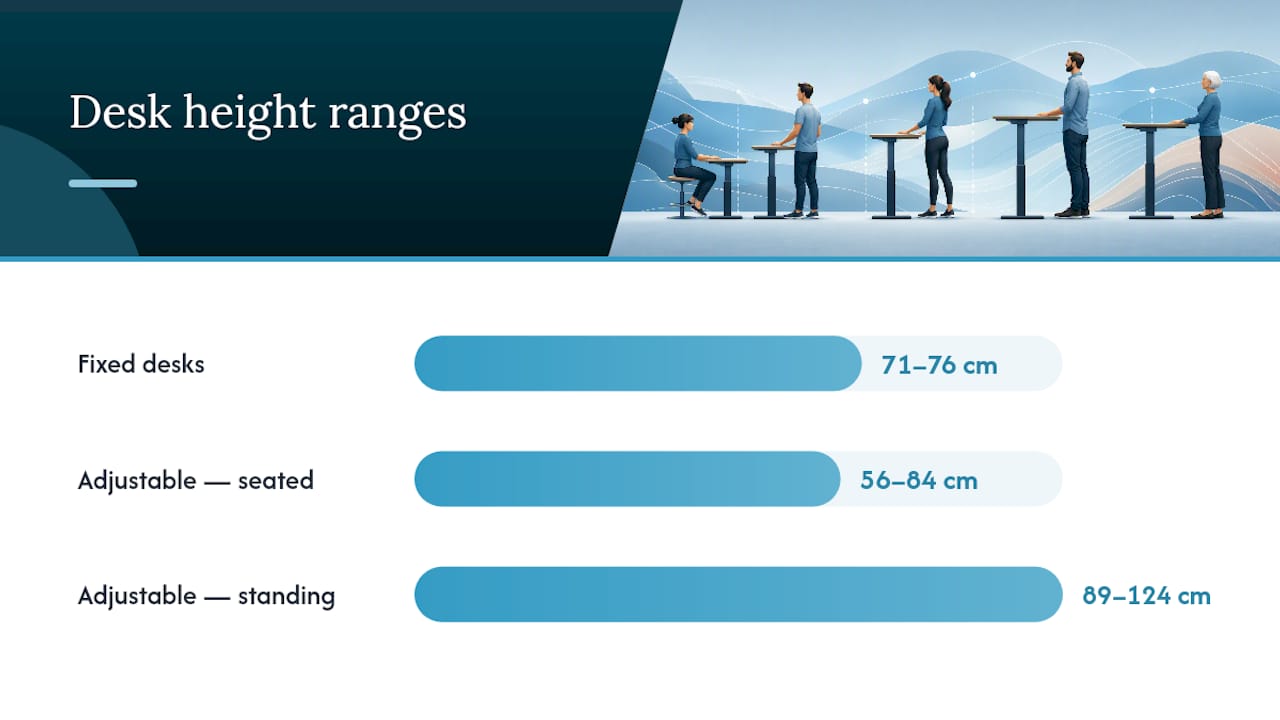
Give yourself a small tolerance of a few centimeters either side of these figures. Chairs, cushions and footwear all shift the ideal slightly. If your actual desk sits more than that outside your calculated range and you can’t compensate with a footrest or keyboard tray, that’s the point where a fixed desk stops being fixable and a height-adjustable frame becomes the better investment. Height-adjustable desks typically span 56–84 cm seated and 89–124 cm standing depending on the frame, according to the same desk height guidance, covering nearly every adult body in one unit.
How do you measure yourself for the correct desk height?
Set the chair before you touch the desk. Chair height determines everything else that follows, and skipping this step is the most common reason a “correctly sized” desk still feels wrong.
- Stand barefoot against a wall and measure your height accurately, without shoes.
- Sit in your usual chair with feet flat on the floor, then measure from the floor to the underside of your relaxed elbow. This is your seated elbow height.
- Adjust the chair so your thighs sit roughly parallel to the floor and your feet are fully supported.
- Set or check the desk so your elbows rest at 90 to 110 degrees when your hands are on the keyboard.
- Confirm your shoulders stay relaxed rather than hunched or raised, and your wrists stay straight rather than bent upward or downward.
- Position the monitor so the top third of the screen sits roughly at eye level, an arm’s length away.
A gap of just 5 to 10 cm between your desk and your true elbow height is enough to cause shoulder shrugging or wrist strain during a normal working day, according to ergonomic comfort research. It’s a small margin with a surprisingly large effect.
What can you do if your desk is the wrong height?
Buying a new desk isn’t always the first move. Work through the cheaper fixes in order before deciding a replacement is necessary.
- Set the chair correctly first, using your seated elbow height as the target.
- If your feet no longer reach the floor once the chair is right, add a footrest rather than lowering the chair again.
- If the desk itself sits too high for the chair to compensate, add a keyboard tray or a slimmer keyboard to lower your typing surface.
- Adjust or add a monitor arm so screen height stays correct independently of desk height.
- If the desk is still substantially wrong for your body, consider a sit–stand converter or an adjustable frame as the more permanent answer.
Keyboard trays solve height mismatches cheaply but can feel unstable under heavier typing, and desk risers work in the opposite direction if your desk sits too low rather than too high. A desk that wobbles, lacks stability at any height, or simply can’t reach your calculated range through any combination of these fixes has reached the end of its usefulness, according to practical adjustment guidance.
Pro Tip: Before buying a footrest or riser, try a stack of sturdy books or a low box for a day. If it solves the problem, buy the proper version. If it doesn’t, you’ve saved yourself an unnecessary purchase.
How do you set up a sit–stand desk correctly?
Standing targets sit higher than seated ones because the logic shifts: you want your keyboard at roughly standing elbow height rather than seated elbow height, which typically lands in the 100 to 115 cm range for most adults.
Most sit–stand desks let you save two presets, and it’s worth setting both properly rather than guessing:
- Set your seated preset using your measured elbow height, plus a small allowance for cushion thickness.
- Set your standing preset with the shoes you actually wear at your desk, since footwear can shift the effective standing height by 1 to 3 cm.
- Test each preset for at least 15 to 20 minutes of real work before locking it in, not just a few seconds of standing still.
- If you use an anti-fatigue mat, factor its thickness into the standing preset too, since it changes how your feet sit relative to the desk.
- Alternate between presets every 30 to 60 minutes rather than committing to one posture all day.
What desk specifications should you check before buying?
An adjustable desk is only as good as its actual specification sheet. Before committing to any model, confirm the following:
- Adjustment range: does it cover both your calculated seated and standing targets, with margin either side?
- Stability at full extension: some frames wobble noticeably at maximum height, which undermines the whole point of adjustability.
- Warranty length: a genuine multi-year warranty signals the manufacturer trusts the motor and frame.
- Installation support: nationwide delivery and professional fitting removes the risk of an unstable or incorrectly assembled desk.
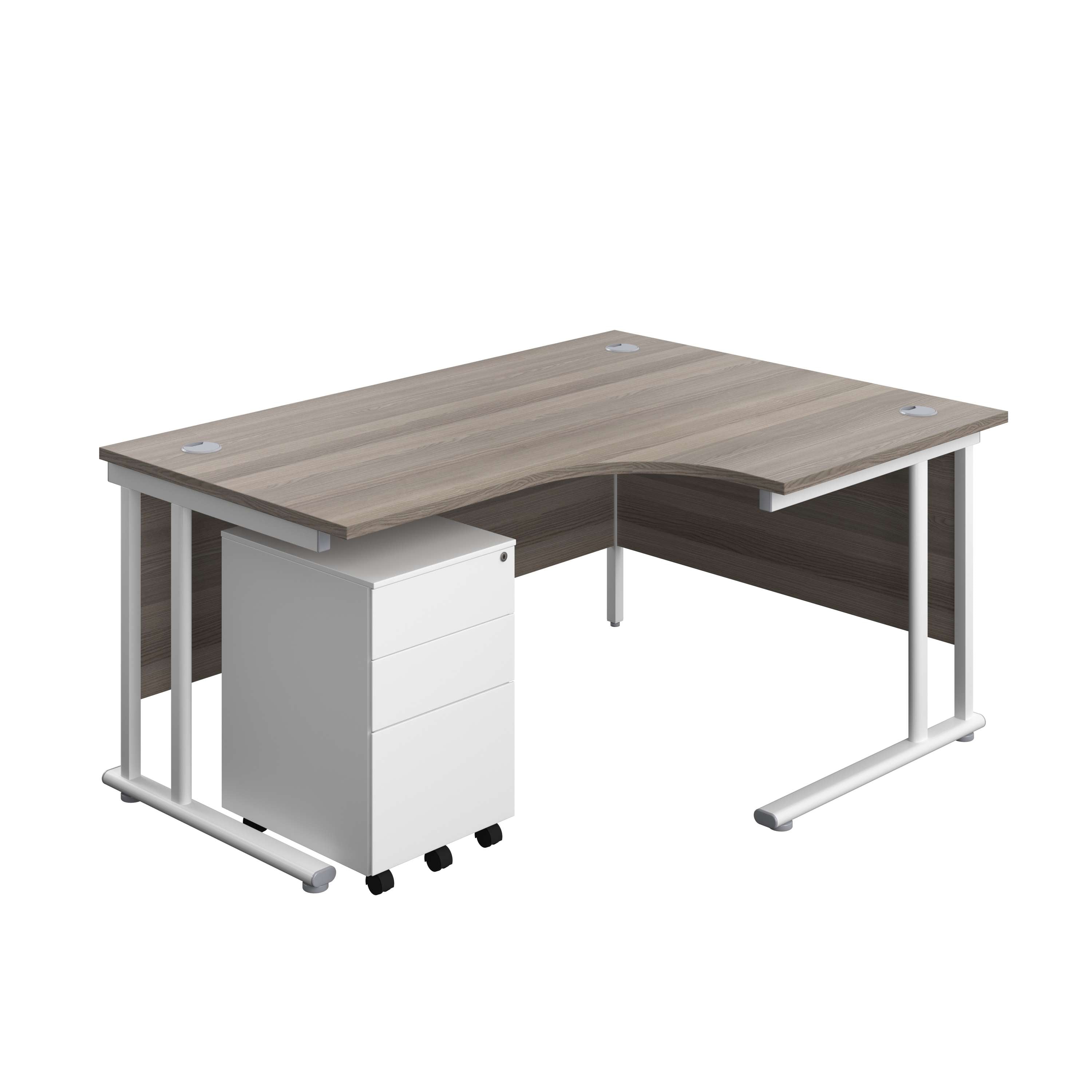
Alxr’s catalogue includes several radial desk configurations built for exactly this kind of specified purchase, including the Twin Upright Right Hand Radial Desk with Under Desk Steel Pedestal, which suits teams needing generous storage alongside a properly specified work surface. For a different pedestal arrangement, the Twin Upright Right Hand Radial Desk with Desk High 3 Drawer Pedestal offers the same radial footprint with drawers positioned at desk height rather than underneath. Readers working in tighter spaces should look at the Twin Upright Right Hand Radial Desk with Slimline Steel Pedestal, which keeps the same specification discipline in a smaller footprint. All three sit within Alxr’s NHS-approved, FSC-certified range, with nationwide delivery and installation included.
What actually matters when getting desk height right
The conventional advice on desk height treats it as a static number you set once and forget. That’s backwards. Standard desks are built to a 71 to 76 cm compromise that only really fits people between 5’8" and 6’0", according to the design confidential’s own standard desk height data, and yet most buying guides still present that range as if it were universal.
What the evidence actually supports is prioritising measurement over guesswork. A tape measure and five minutes spent finding your seated elbow height will outperform any generic recommendation, because a 5 to 10 cm error is genuinely enough to cause shoulder or wrist strain during ordinary computer work. That’s not a minor rounding issue. It’s the difference between a desk that disappears into your day and one that quietly wears down your shoulders over months.
If you take one thing from this, let it be the sequence: measure first, adjust the chair, then the desk, then the monitor. Buying new furniture should be the last step, not the first.
— Syed
Get the height range right, then get the desk that holds it
Alxr’s advantage isn’t just a wide catalogue. It’s that every radial desk and sit–stand frame in the range is specified against real adjustment ranges, so you’re buying to your calculated numbers rather than hoping a standard size happens to fit.
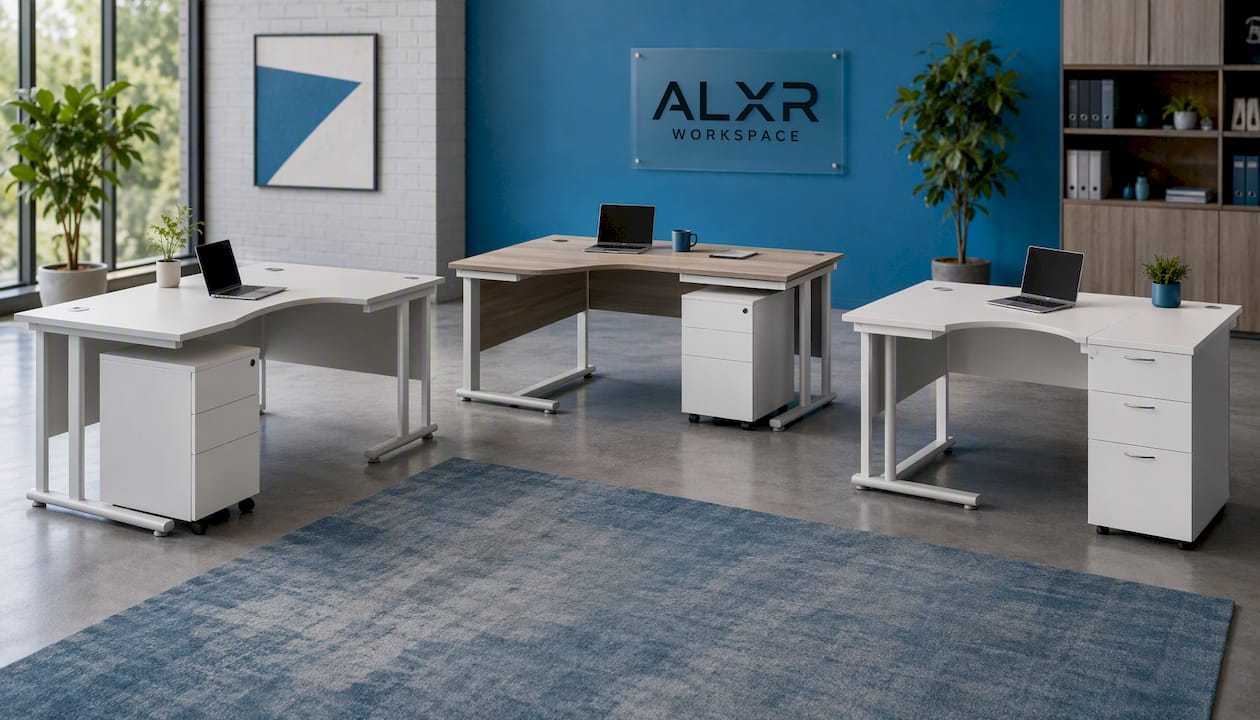
If you’ve worked through the formulas and measurements above and know your target seated or standing height, the next step is matching that figure to a desk built to hold it reliably at full extension. Alxr supplies commercial, healthcare and education settings nationwide, with delivery and installation included, so the desk arrives set up correctly rather than left for you to assemble and guess at. Explore the dual motor sit stand desk for the widest adjustment range, or the single motor version if your budget is tighter but your height range is still within standard bounds. For teams wanting built-in presets and touchscreen control, the Tenon Smart adjustable desk saves your seated and standing numbers automatically. Get a quote from Alxr’s workspace team and specify your exact range before you order.
Sources
Cross-check your figures with more than one source. The Calcipedia desk height calculator returns full companion values for chair and monitor height, while the AgentCalc ergonomic calculator is useful for the ratio method and quick conversions. The Omni Calculator desk height tool is a solid third check, particularly for comfort thresholds around elbow angle and monitor position.
- Ergonomic desk height planner / desk height calculator — Calcipedia
- Ergonomic Desk Height Calculator (Sitting & Standing) | AgentCalc
- Standard desk height: The right number for your body (Inches, CM & chart)
- Desk height calculator — Omni Calculator