

3 fixes that stop office back pain: elbow height setup, movement, and fit out
The most effective approach to office ergonomics for back pain combines three things: a correctly adjusted workstation, frequent breaks from static sitting, and simple strengthening exercises. Systematic review evidence and occupational ergonomics guidance from institutions like UCLA both point the same way. Start now by raising your monitor to eye level and connecting an external keyboard if you work from a laptop.
TL;DR:
- Proper workstation adjustments, including raising the monitor to eye level and aligning the keyboard with elbow height, are essential for preventing back pain.
- Static sitting loaded with repetitive postures causes muscle fatigue and joint stiffness, making frequent movement and microbreaks crucial.
- Incorporating regular mobility and strength exercises, such as hip hinges and glute bridges, supports long-term back health during workdays.
- Using external monitors and adjustable desks effectively improves posture, but standing desks alone are less impactful without complementary movement habits.
- Cluttered workspace wiring and furniture that does not fit individual needs can lead to awkward postures, increasing back strain and discomfort.
Table of Contents
- How do you set up your desk to prevent back pain?
- Why does sitting still cause back pain even with perfect posture?
- What exercises help with back pain from sitting at a desk?
- Do laptop stands and standing desks actually reduce back pain?
- When should you see a doctor about desk-related back pain?
- How does workspace clutter make back pain worse?
- What ALXR brings to putting this into practice
- Ready to fix your workstation properly?
- Sources
- FAQ
How do you set up your desk to prevent back pain?
Fix your equipment in the right order and you avoid the endless cycle of nudging your chair, then your screen, then your chair again. Ergonomics practitioners recommend anchoring everything to your seated elbow height first, then working outward from there.
- Desk and keyboard height. Sit with your shoulders relaxed and elbows bent around 90 degrees. Your desk or keyboard tray should sit at that height, with the keyboard flat or tilted slightly away from you. If your keyboard has little feet propping the back edge up, remove them. That tilt forces your wrists into extension for hours at a time.
- Chair adjustments. Set seat height so your feet rest flat on the floor (or on a footrest) with knees roughly level with your hips. Seat depth matters more than most people realise: you want two or three fingers of space between the back of your knee and the seat edge. Recline the backrest to somewhere between 100 and 110 degrees rather than sitting bolt upright, and position lumbar support so it fills the curve of your lower back, not your mid-back.
- Monitor position. The top of the screen should sit at or just below eye level, roughly 50 to 75 centimetres away, about an arm’s length. If you wear bifocals, drop the monitor lower so you’re not tipping your head back to read through the bottom lens.
- Mouse and peripherals. Keep the mouse on the same surface and at the same height as your keyboard. Move it from your elbow rather than flicking your wrist, and keep your shoulder down rather than hiking it up toward your ear.
This sequencing, moving from desk to chair to monitor to peripherals, is exactly the order Colorado State’s ergonomics guidance recommends, precisely because doing it in a different order means readjusting everything twice.
If your desk is fixed height and won’t budge, UCLA’s ergonomics resource suggests raising the chair to hit the right elbow height, then compensating with a footrest so your feet aren’t dangling. A stack of hardback books makes a serviceable monitor riser in a pinch, and a rolled towel can substitute for lumbar support until proper cushioning arrives.
An ergonomic posture chair with adjustable arms gives you independent control over height, depth, and armrest position, which matters because a fixed-arm chair rarely fits both a tall and a short user in the same office.
Pro Tip: Adjust your chair and desk before you touch your monitor. Screen position is the easiest thing to get wrong twice if you fix it before your seated height is settled.
Why does sitting still cause back pain even with perfect posture?
There’s no such thing as a posture you can hold indefinitely without consequence. Even a textbook-perfect seated position loads your spine the same way for as long as you stay in it, and that static load, not any single “wrong” angle, is what tires out muscles and stiffens joints. Occupational ergonomics guidance frames it plainly: the best position is the next one, not any fixed ideal.
Stanford’s ergonomics team makes a related point that’s often overlooked: equipment alone rarely fixes the problem. Without a change in behaviour, people slide back into old habits within days of getting a new chair.
A few structures make movement easier to sustain than good intentions alone:
- The 20-8-2 rule: roughly 20 minutes sitting, 8 minutes standing, 2 minutes moving, repeated through the day.
- The 30/30 approach: no more than 30 minutes in one position before shifting, standing, or walking for at least 30 seconds.
- Microbreaks: a 1 to 2 minute stretch every 20 to 30 minutes, which UCLA’s guidance lists alongside longer changes of position every hour.
Set a phone timer or a recurring calendar block if you know you’ll forget otherwise. Walking meetings, standing during phone calls, and rotating tasks so you’re not glued to the keyboard all day add movement without needing a formal break.
The evidence for combining these habits with a proper setup is genuinely encouraging, if not dramatic. A systematic review and network meta-analysis covering 24 studies and over 7,000 participants found that pairing ergonomic changes with physical activity reduced back pain intensity more than minimal intervention, though the researchers rated the certainty of that evidence as low to very low. Read that as a genuine signal worth acting on, not a guarantee.
What exercises help with back pain from sitting at a desk?
Three categories of movement cover most of what your back needs during a working day: mobility, activation, and endurance.
- Mobility: pelvic tilts (rock your hips forward and back while seated) and standing hip hinges loosen the joints that stiffen after long sitting spells.
- Activation: glute bridges and the bird dog exercise (extending opposite arm and leg from a hands-and-knees position) wake up the muscles that support your lower back but switch off when you sit.
- Endurance and posture: planks and standing resistance band rows build the stamina to hold a reasonable position for longer without slumping.
None of this needs a gym. Three short sessions of six to eight minutes, one mid-morning, one after lunch, one before you leave, fit into a normal working day without anyone noticing you’ve stepped away. If a full plank is too much to start with, drop to your knees; if a standing hinge feels unstable, hold the edge of your desk.
Stop and get assessed if you notice progressive weakness, numbness that spreads down a leg, or any change in bowel or bladder function. These aren’t ergonomics problems. Persistent pain that doesn’t ease with setup changes and movement is a good reason to ask for a physiotherapy referral rather than experimenting further on your own.
Pro Tip: Attach your stretch routine to something you already do, like your coffee break. Habits stick far better when they’re bolted onto an existing routine than when they float free on a to-do list.
Do laptop stands and standing desks actually reduce back pain?
Laptops are the single worst-designed piece of equipment for posture, because the screen and keyboard are welded together at a fixed distance. Position the screen at eye level and your hands end up too high; position your hands comfortably and you’re hunching over to read the screen. Wake Forest University’s ergonomics guidance is direct about the fix: an external monitor, a separate keyboard, and a laptop stand to get the laptop itself out of the way. It’s the single highest-impact change available to laptop-based workers, because it lets you position the screen and your hands independently again. NORDVIVE’s guide to ergonomic laptop stands covers practical options if you’re setting this up for a home office.
Standing desks deserve a more measured take than the marketing suggests. Evidence on sit–stand desks shows they reliably cut total sitting time over weeks and months, but the research on longer-term health benefits is thinner and less consistent. Treat a standing desk as one tool, not a cure:
- Alternate between sitting and standing rather than standing all day; standing static is just as tiring as sitting static.
- Use an anti-fatigue mat and supportive footwear if you’re standing for long stretches.
- Build up gradually over a couple of weeks rather than switching overnight.
- If your desk can’t adjust at all, a monitor arm, a desktop riser, or a keyboard tray gets you most of the same benefit for less outlay.
When should you see a doctor about desk-related back pain?
Ergonomics prevents a great deal of everyday discomfort, but it isn’t a diagnostic tool. Seek prompt medical review for progressive weakness, spreading numbness, or bowel or bladder changes. For pain that persists despite a proper setup and regular movement, ask your employer about an occupational ergonomic assessment or a physiotherapy referral. Specialist teams can help where furniture changes are part of the answer.
How does workspace clutter make back pain worse?
A tangle of cables under your desk does more than look untidy. It forces you into awkward reaches when you plug something in, tempts you to twist sideways to avoid a snagged wire, and often ends with your keyboard pushed off-centre because there’s no room for your hands where the cables pool.
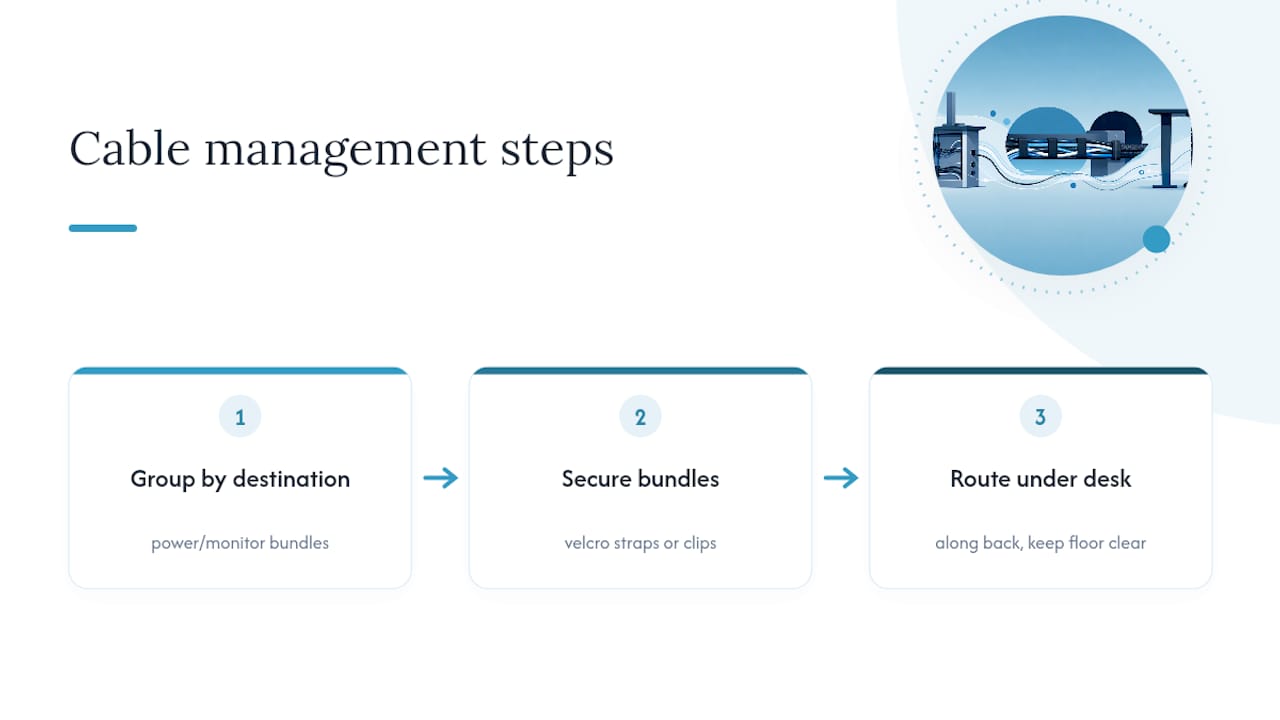
Start by grouping cables by destination rather than by device. Everything heading to the power strip goes together, everything heading to your monitor goes together, and each bundle gets secured with a velcro strap or cable clip rather than left loose. Route the bundles along the back or underside of the desk using adhesive clips, so nothing crosses the floor space where your feet or a chair’s castors need to move freely.
Keep your desk surface itself down to what you actually touch during the day: keyboard, mouse, monitor, maybe a notepad. Everything else, chargers, spare cables, reference documents, belongs in a drawer or on a shelf within arm’s reach but off the working surface. A cluttered desktop pushes your keyboard and mouse away from centre, which drags your shoulders and spine out of alignment without you noticing.
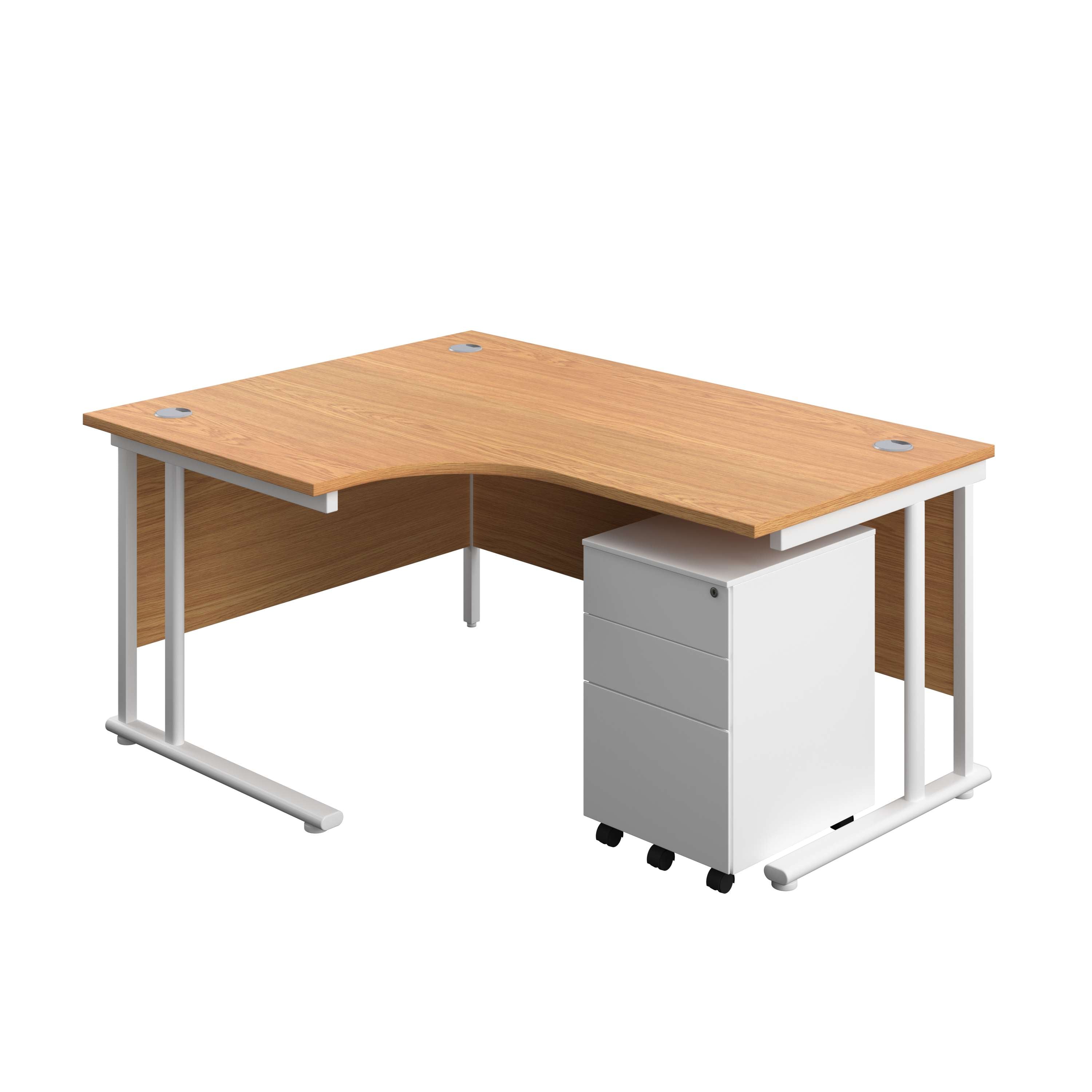
Under-desk storage helps more than people expect. A pedestal with drawers gives cables and clutter somewhere to disappear that isn’t the floor, which matters because a floor full of bags, boxes, and trailing leads is exactly what makes people twist and reach in ways that strain the lower back.
What ALXR brings to putting this into practice
Getting the theory right is one thing; fitting out an entire floor of desks with correctly specced chairs and adjustable-height desks is another. A reputable ergonomic furniture supplier has built its catalogue around the same principles covered here: proper lumbar support, adjustable arms, and desks that move with the user rather than against them. Nationwide delivery and installation enable a whole office to be refitted without procurement teams managing multiple contractors, backed by warranty support if anything needs attention later… For workplaces weighing up a wider refit, a dedicated team can help with space planning as well as the furniture itself.
— Syed
Ready to fix your workstation properly?
Setup, movement, and simple strengthening are the three levers that actually shift desk-related back pain, and the right furniture makes the first of those far easier to get right and keep right. Alxr’s dual motor sit stand desk lets you alternate through the working day without wrestling with hand cranks, while a twin upright radial desk suits fixed setups that need a proper corner layout instead.
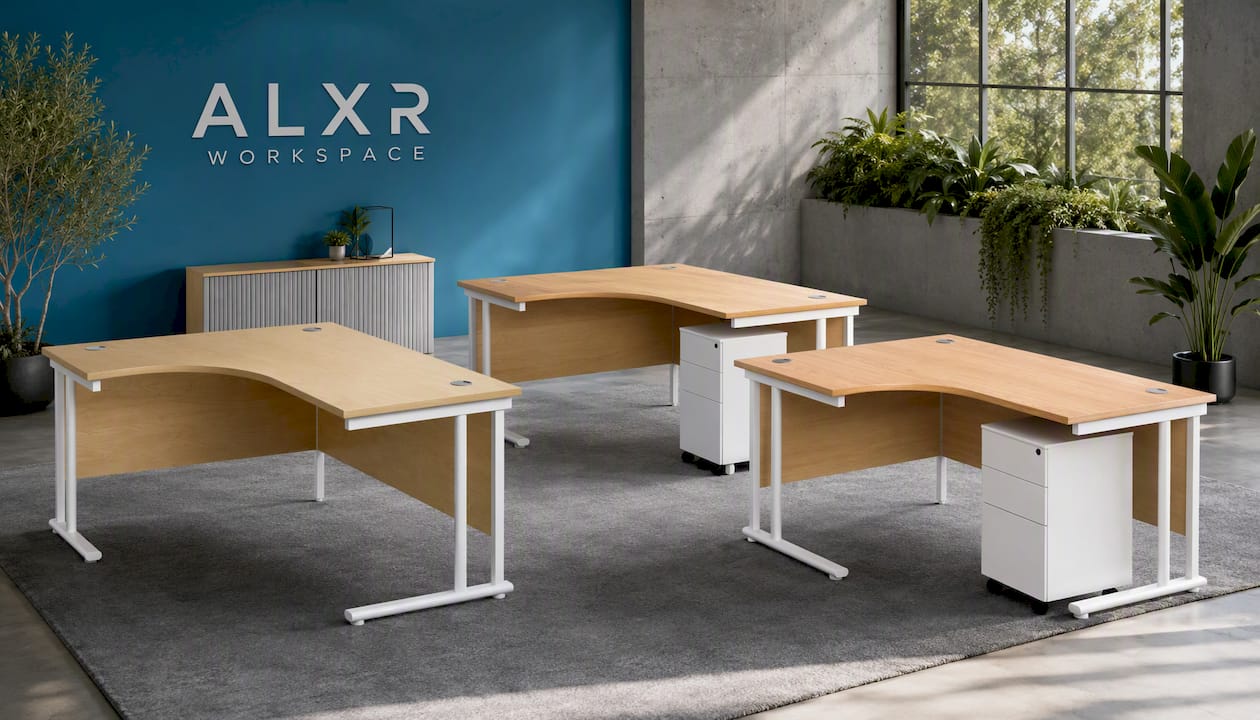
If storage is part of the clutter problem, the same radial desk is available bundled with an under-desk steel pedestal for three drawers of cable and paperwork storage, or a slimline steel pedestal where floor space is tighter. Every desk ships with nationwide delivery and installation, and warranty support if anything needs adjusting once it’s in place. Browse the ID ergonomic office chair alongside your desk choice to get the seating and the surface sorted in one order, then get in touch to arrange a quote for your workspace.
Sources
- Interventions for preventing back pain among office workers: systematic review with network meta-analysis
- 4 Steps to Set Up Your Workstation | Ergonomics
- Ergonomic tips and posture (Stanford campus resources)
- Workstation set-up tips (Colorado State RMI)
This article is general information, not a substitute for advice from a qualified doctor. Consult a qualified healthcare professional about your own circumstances before acting on anything here.
FAQ
How should you sit in an office chair to avoid back pain?
Sit with feet flat on the floor, knees roughly level with your hips, and your back supported by lumbar padding in the curve of your lower spine. Recline slightly, between 100 and 110 degrees, rather than sitting bolt upright, and change position every 20 to 30 minutes rather than holding any single posture for hours.
What is the 90-90-90 rule for sitting?
It refers to keeping hips, knees, and elbows each bent at roughly 90 degrees when seated: feet flat with knees level with hips, and elbows bent at your sides while typing. It’s a useful starting reference rather than a rigid target, since UCLA’s guidance recommends a slight recline over a perfectly upright 90 degree back angle.
What is the 30/30 rule in ergonomics?
The 30/30 rule means changing position at least every 30 minutes, standing or moving for a minimum of 30 seconds each time. It works alongside shorter 1 to 2 minute microbreaks every 20 to 30 minutes, which university ergonomics guidance recommends for breaking up static loading on the spine.
How can you relieve back pain while sitting at a desk?
Check your chair’s lumbar support is filling your lower back curve, stand and stretch for a minute, and walk a short distance if pain builds during the day. A pelvic tilt or standing hip hinge, done a few times, often eases stiffness within minutes, though persistent pain warrants a physiotherapy assessment rather than repeated self-treatment.
Can a standing desk alone fix back pain from sitting?
Not on its own. Sit–stand desks reduce total sitting time reasonably well over weeks and months, but they work best alongside good chair setup, regular movement breaks, and basic strengthening rather than as a standalone fix. Alxr’s sit stand desk supports alternating between positions, which is the habit that matters more than standing itself.