

Sit-stand desk benefits: what the evidence actually shows
Sit-stand desks reduce sedentary time, ease neck and shoulder pain, and help stabilise blood sugar after meals, but they will not replace exercise or fix poor posture on their own. A 3-month intervention study found statistically significant improvements in worker wellbeing, and employers increasingly see height-adjustable desks as a genuine wellbeing investment. The benefits only materialise when the desk is set up correctly and workers alternate between sitting and standing rather than standing rigidly for hours.
TL;DR:
- Correct setup and regular alternation between sitting and standing are essential to achieve musculoskeletal relief from sit-stand desks.
- Standing boosts blood sugar recovery after meals and engages muscles but offers minimal calorie burn or weight loss benefits.
- Prolonged static standing can cause foot and calf discomfort unless mitigated with anti-fatigue mats and frequent posture changes.
- Long-term health benefits are supported by significant reductions in neck, shoulder, and back pain, but productivity improvements remain unproven.
- Proper ergonomic adjustments and habitual triggers are crucial for maintaining consistent use of sit-stand desks over time.
Table of Contents
- What benefits does a sit-stand desk actually deliver?
- How to set up and use a sit-stand desk correctly
- What the research on standing desks actually shows
- Downsides of standing desks and how to manage them
- The employer’s case for investing in sit-stand desks
- Keeping the habit going after the novelty fades
- How do sit-stand desks compare with treadmill desks and desk cycles?
- A publisher’s view on adopting sit-stand desks properly
- Alxr’s sit-stand desk range for safe, practical adoption
- Sources
What benefits does a sit-stand desk actually deliver?
Musculoskeletal relief is the best-documented sit-stand desk benefit. In a 3-month trial involving 36 workers using sit-stand desks against a control group of 38, researchers recorded a statistically significant drop in neck and shoulder pain (p = 0.001), alongside improvements in subjective health (p = 0.002) and work vitality (p < 0.001), according to the same intervention study. That is a meaningful result for a workplace intervention that costs a business a one-off purchase rather than an ongoing programme.
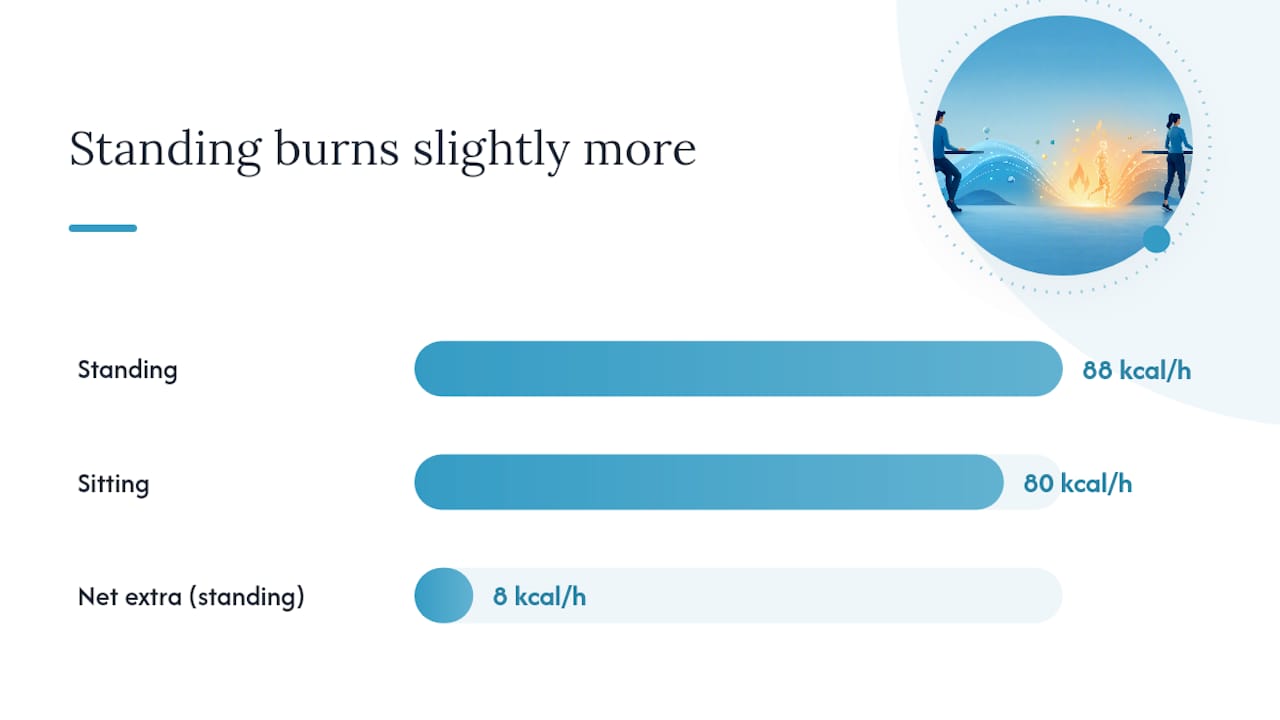
Cardiometabolic effects are real but modest. Standing more often through the day is linked to faster normalisation of blood sugar after meals, according to Harvard Health. That is a useful, low-risk habit for desk-bound workers. But the same source is blunt about the limits: standing burns only slightly more energy than sitting, roughly 88 kilocalories an hour compared with around 80 kilocalories sitting in one measured trial. A sit-stand desk will not meaningfully shift your weight on its own; it is a posture tool, not a fitness plan.
Posture and circulation benefits come from movement, not from standing still. Standing engages the core and leg muscles far more than sitting does, and shifting position regularly keeps blood flowing through the legs rather than pooling. The mistake many people make is treating “standing” as a static alternative to “sitting” when the real benefit lies in the transition itself: the desk should encourage regular changes in position throughout the day, not one long stint on your feet.
Cognitive and productivity effects are the least settled part of the evidence base. Some workers report feeling more alert while standing, but a review of the productivity literature found the objective evidence for productivity gains is inconsistent. That does not mean sit-stand desks hurt output. It means employers should not sell the desks internally as a productivity fix, when the stronger, better-supported case is comfort and reduced pain.
Where the evidence is strong versus provisional:
- Strong: Reductions in neck, shoulder and lower back discomfort with correct setup and posture alternation.
- Strong: Faster post-meal blood sugar recovery from standing periods.
- Moderate: Improved subjective vitality and self-reported health.
- Weak/inconsistent: Measurable productivity or cognitive performance gains.
- Negligible: Meaningful weight loss or calorie burn from standing alone.
Pro Tip: Track how you feel at 3pm before and after switching to a sit-stand rhythm. Energy dips are one of the clearest personal signals that a desk change is working, even before pain scores shift.
How to set up and use a sit-stand desk correctly
Getting the height right matters more than almost anything else in this list. For sitting, your elbows should sit at roughly 90 to 100 degrees with forearms parallel to the floor, and the top of your monitor should sit at or just below eye level. The same rule applies when standing: raise the desk until your elbows return to that same angle, and raise or reposition the monitor to match, according to the ErgoDesk height guide. Desk height and monitor placement are, by a wide margin, the two things people get wrong first.
Setting up and adopting a sit-stand desk:
- Measure your sitting height first. Sit with your feet flat, elbows bent at 90 to 100 degrees, and set the desk to match your forearms.
- Mark your standing height. Stand naturally, repeat the elbow check, and note the number so you can return to it without re-measuring daily.
- Position the monitor at eye level in both settings. A monitor arm makes this instant when you switch position, rather than static risers that only suit one height.
- Start with short standing intervals. Fifteen minutes standing per hour is a sensible starting point, working up to a 1:1 or 2:1 sit-to-stand ratio over several weeks, per guidance from the Canadian Centre for Occupational Health and Safety.
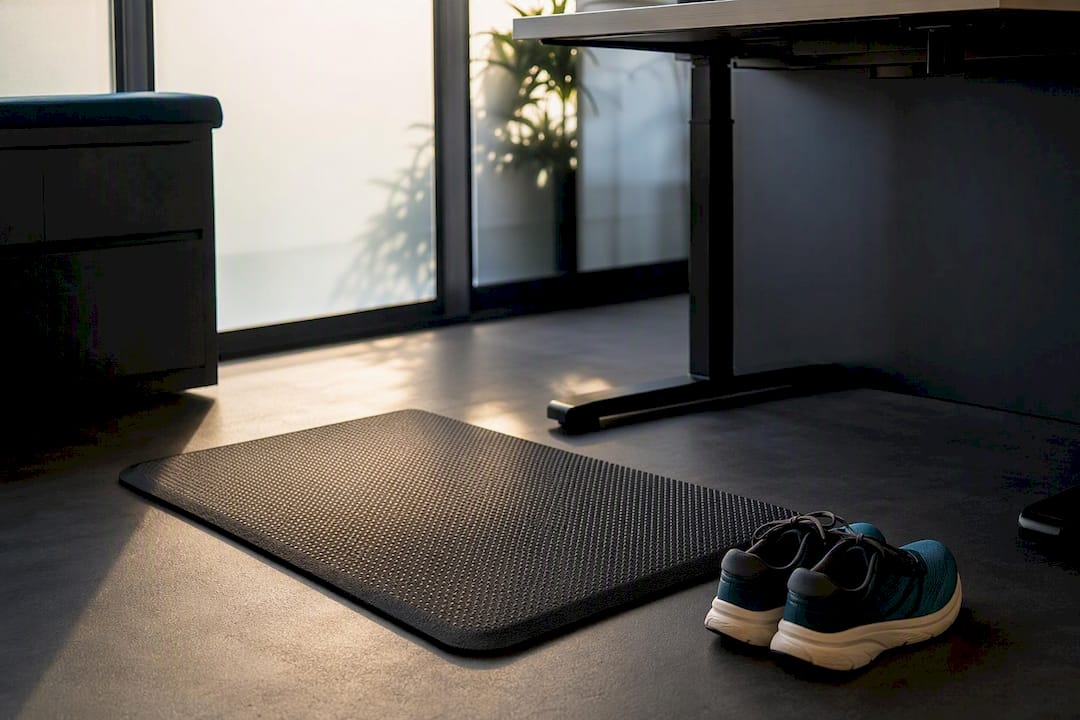
- Add an anti-fatigue mat if you’re on hard flooring. This alone resolves a large share of foot and calf discomfort.
- Pair standing time with specific tasks. Phone calls, quick email reviews, and short meetings are natural standing tasks; deep focus work often suits sitting better.
- Review your setup every few weeks. Footwear, chair height, or a new monitor can all quietly throw off a setup that used to work.
A perch stool is worth considering for anyone easing into standing work, since it offers a mid-point between sitting and full standing without needing to sit back down. Common mistakes to watch for: a desk left at sitting height when standing (forces you to hunch or reach), a monitor too low when standing (causes neck flexion), and jumping straight to hours of standing in week one rather than building up gradually.
Pro Tip: Set a recurring reminder for the top of every hour rather than relying on willpower. The habit sticks faster when the trigger is external, not a decision you have to keep making.
What the research on standing desks actually shows
The most cited controlled trial in this space followed 36 intervention participants against 38 controls over 3 months and found statistically significant reductions in neck and shoulder pain (p = 0.001), improved subjective health (p = 0.002), and better self-reported work vitality (p < 0.001), based on the PMC-published intervention study. Those numbers matter because a p-value that low, across three separate outcomes, is a strong signal the effect is real rather than noise, even in a study of that size.
The cardiometabolic evidence is smaller in scope but consistent in direction. Standing periods after meals are associated with faster blood sugar normalisation, per Harvard Health’s summary of the underlying research, and separate energy-expenditure measurements put standing at around 88 kilocalories an hour against roughly 80 kilocalories sitting. Neither figure is transformative on its own, but stacked across a working week, the metabolic case for movement is more credible than the calorie-burn case for standing itself.
What the evidence can and can’t tell you:
- A single 3-month trial with around 70 total participants is a solid starting point, not a settled verdict, for musculoskeletal claims.
- Short follow-up periods mean nobody has strong data on what happens after a year or more of consistent sit-stand use.
- Study populations vary in job type, existing pain levels, and desk habits, which makes it hard to promise identical results to every reader.
- Productivity findings remain genuinely mixed, and no major review has closed that question either way.
The honest summary: musculoskeletal and vitality benefits have real trial backing with meaningful statistical significance. Cardiometabolic benefits have a plausible, lower-risk mechanism behind them. Productivity claims and long-term outcomes are the weakest part of the picture, and anyone promising guaranteed focus gains from a desk alone is overselling what the research supports.
Downsides of standing desks and how to manage them
Standing too long carries its own risks. NHS guidance notes that prolonged standing can contribute to swelling in the feet and lower legs, and workers commonly report foot ache, calf tightness, or lower back strain if they stand statically for extended stretches without moving. These aren’t reasons to avoid a sit-stand desk. They’re reasons to use one properly.
Risks and how to reduce them:
- Foot and leg fatigue: use an anti-fatigue mat and supportive, cushioned footwear rather than hard-soled shoes.
- Swelling or circulation issues: alternate posture every 30 to 60 minutes rather than standing continuously.
- New neck or shoulder strain: recheck monitor height whenever you switch between sitting and standing.
- Overstanding out of guilt or habit: standing longer isn’t automatically better; movement matters more than duration.
- Persistent pain despite correct setup: speak to occupational health or a physiotherapist rather than pushing through discomfort.
If pain continues after several weeks of a correctly configured desk, that’s a signal to get a professional assessment rather than assuming the desk itself has failed.
The employer’s case for investing in sit-stand desks
Unit cost is only one line in the budget. Installation, monitor arms, anti-fatigue mats, and staff training on correct setup all add up, but they also determine whether the investment pays off or sits unused within a year.
- Run a small pilot with one team or floor before a full rollout, so you can gather feedback before committing budget.
- Provide setup guidance, not just the desk. Height and monitor placement errors are the single biggest reason adoption fails.
- Build in a feedback loop, checking in at 4 and 12 weeks on comfort and usage.
- Track simple metrics: self-reported pain levels, absenteeism trends, and how often desks are actually raised, not just purchased.
- Phase the purchase across departments if budget is tight, prioritising roles with the longest sitting hours first.
Alxr supports this process directly through nationwide installation and training guidance, warranty backing, and NHS-approved supplier status, which matters for public sector and healthcare procurement teams who need that credential on file.
Keeping the habit going after the novelty fades
Most sit-stand desks get used heavily in week one and then quietly drift back to permanent sitting by week six. That drop-off isn’t a failure of willpower. It’s usually a setup or habit problem that never got fixed.
The workers who stick with it tend to anchor standing to specific triggers rather than vague intentions. Standing for every phone call, every daily stand-up meeting, or the first 20 minutes after lunch works better than “I’ll stand more today” because the decision is already made before the moment arrives. Height memory presets on electric desks remove the second barrier: if raising the desk takes fifteen seconds of guesswork every time, that friction alone kills the habit within a fortnight.
Visible reminders help too. A note on the monitor, a repeating calendar alert, or a colleague doing the same thing nearby all nudge behaviour more reliably than good intentions alone. Some workplaces build light competition into it, tracking who’s hit their standing target for the week, though this works better as an opt-in nudge than a mandated metric.
The other quiet driver of long-term use is simply comfort. If the mat, shoes, and monitor height are right, standing stops being something you have to remember to do and becomes the more comfortable default. Get the ergonomics wrong, and no amount of reminders will keep someone standing through discomfort for long.
How do sit-stand desks compare with treadmill desks and desk cycles?
Treadmill desks and desk cycles solve a different problem to sit-stand desks, and it’s worth being clear about which one you actually need. A sit-stand desk changes your posture; a treadmill desk or desk cycle adds continuous low-level exercise on top of your normal desk work.
That extra activity sounds like the better deal, but it comes with real trade-offs. Typing accuracy and mouse control both suffer while walking, even at slow treadmill speeds, which makes treadmill desks a poor fit for detail-heavy or client-facing work. Desk cycles are quieter and take up less floor space, but they demand a level of ongoing physical effort that most office roles simply don’t need and many workers won’t sustain daily.
Sit-stand desks ask far less of the user and disrupt work far less in return. There’s no learning curve, no noise, and no risk of typos from a wobbling platform. For most office environments, particularly ones supporting a broad mix of roles and physical abilities, a height-adjustable desk is the more practical and inclusive starting point. Treadmill desks and cycles can work well as a personal add-on for specific individuals who want more built-in movement, but they’re rarely the right default for a whole-office rollout in the way sit-stand desks are.
A publisher’s view on adopting sit-stand desks properly
The evidence supports a measured rollout, not a wholesale desk swap overnight. Pilot with a small group, measure pain and usage honestly, and train people on setup before assuming the desks alone will change behaviour. Health questions beyond general aches belong with a clinician, not a furniture guide.
— Syed
Alxr’s sit-stand desk range for safe, practical adoption
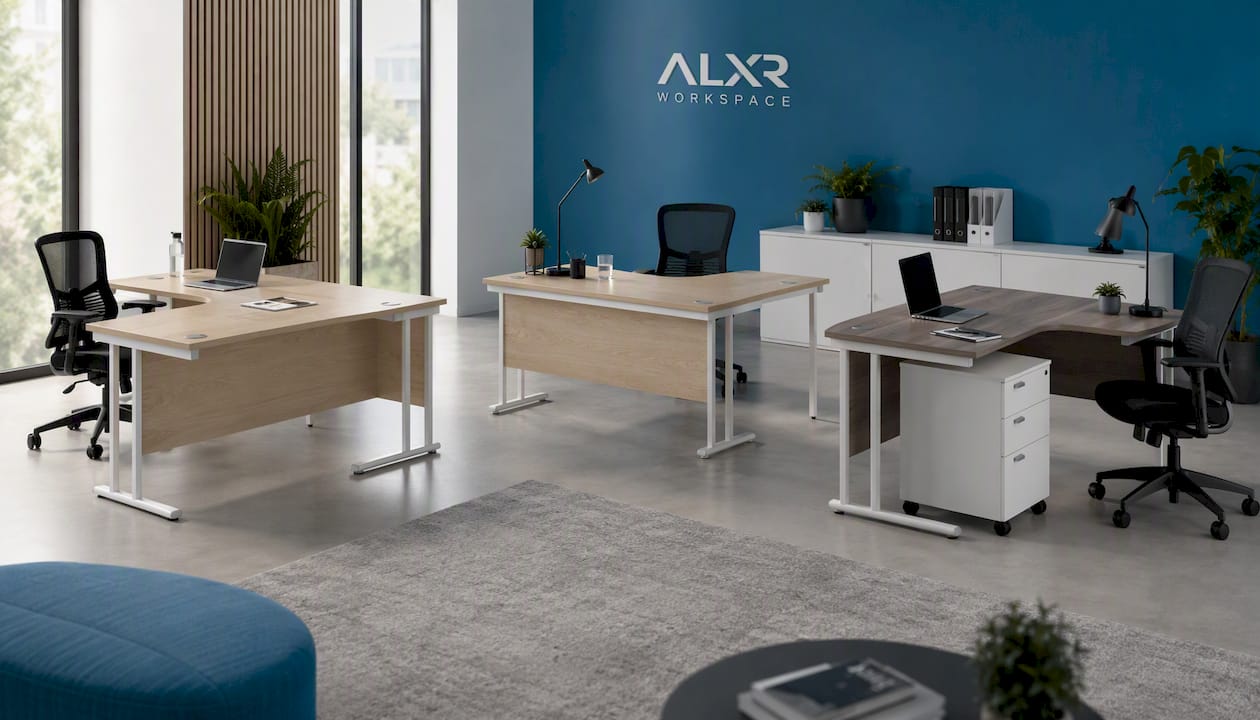
Alxr gives you a stronger starting point than buying a generic desk and hoping staff figure out the setup themselves: every model ships with nationwide installation, a warranty, and specification support drawn from NHS-approved supplier status.
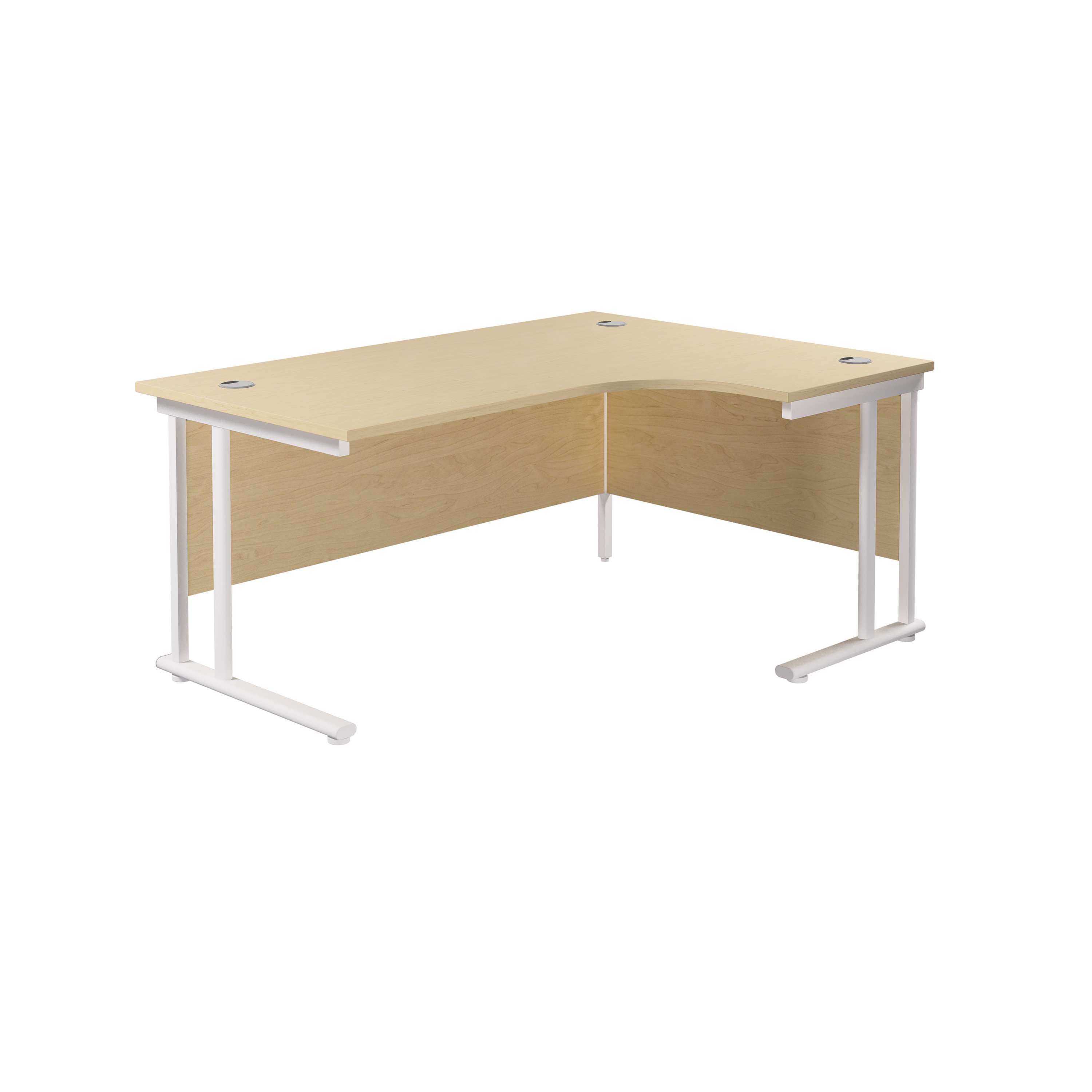
The Twin Upright Right Hand Radial Desk (FSC) suits workstations where the desk curves to the right, making it a natural fit for corner layouts and shared office pods. Its counterpart, the Twin Upright Left Hand Radial Desk (FSC), mirrors that footprint for rooms laid out the other way, which matters when you’re fitting matching desks into a symmetrical floor plan. For teams that need integrated storage alongside height adjustment, the Twin Upright Right Hand Radial Desk bundled with an under-desk steel pedestal and three drawers solves both problems in a single order rather than sourcing storage separately.
If you’re planning a phased rollout, Alxr’s guidance on height-adjustable desk investment covers staff training and pilot planning in more depth. Request a quote or get in touch with the team to plan installation across your floor.
This article is general information, not a substitute for advice from a qualified doctor. Consult a qualified healthcare professional about your own circumstances before acting on anything here.
Sources
- Effects of sit-stand desks on office workers: a 3-month intervention (PMC)
- The truth behind standing desks — Harvard Health Blog
- Correct standing desk height: calculator + guide — ErgoDesk Guide